A file manager for your Cloudflare R2 buckets that you host yourself.
Browse, upload, preview, edit and share files in Cloudflare R2 from a clean web UI. You own the server, the database and the keys.
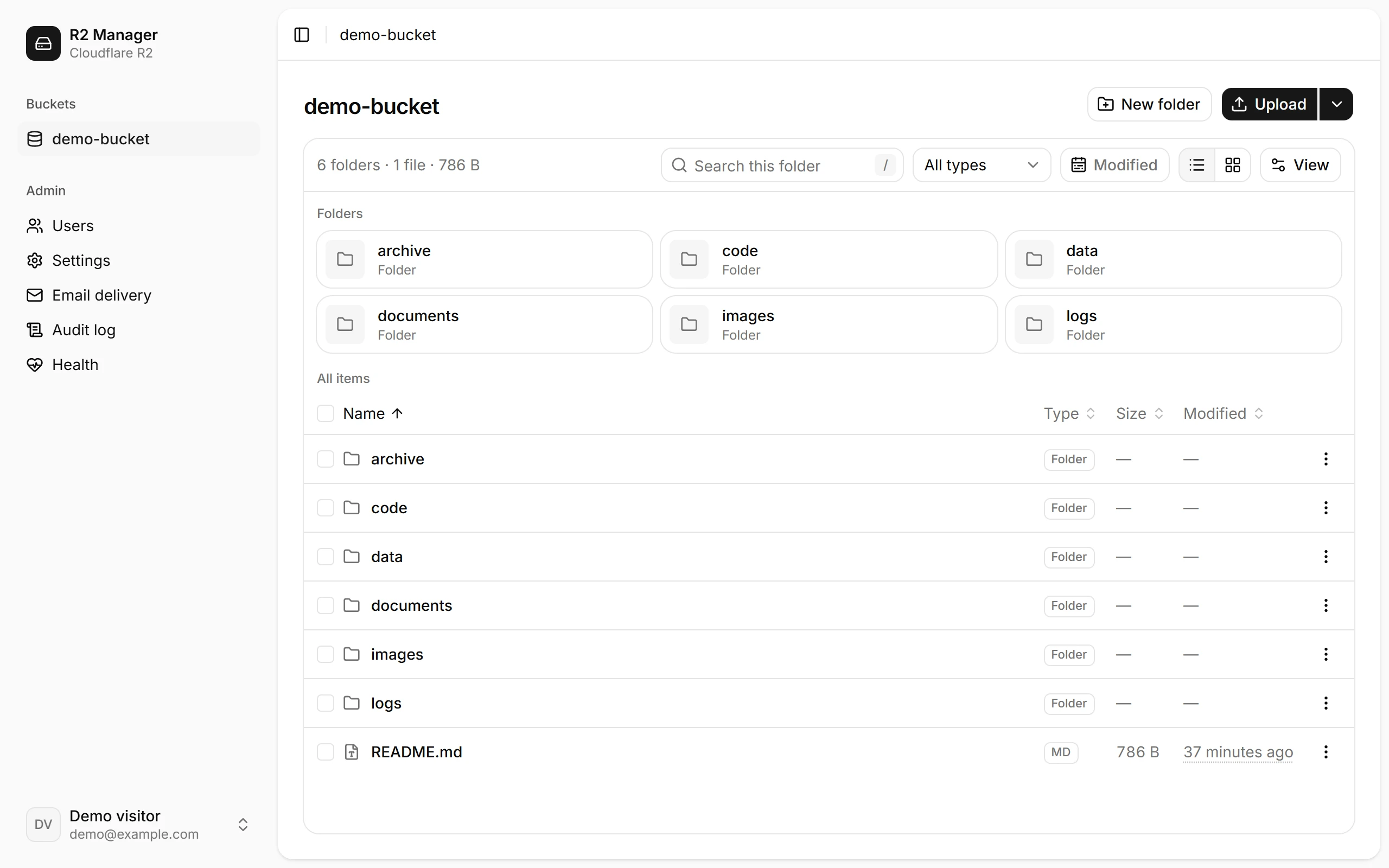
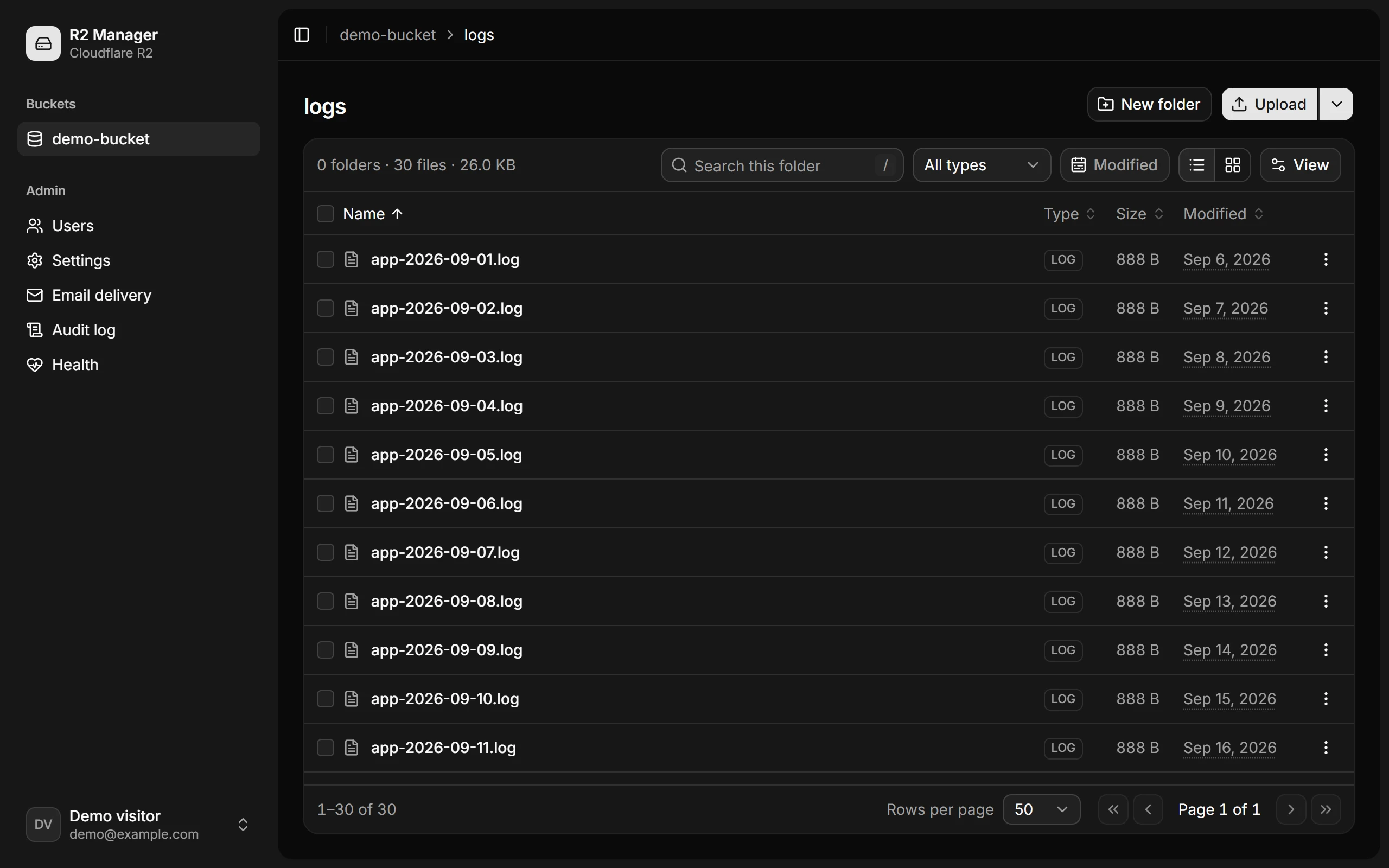
A file manager with access you control
Browse, upload and preview files in the browser, give teammates only the folders they need, and keep a record of every change.
Browse, upload and preview
List and grid views with folders and a name filter. Drag in files or whole folders, and open images, PDF, Markdown, CSV and JSON without downloading them.
Hardened by default
Brute-force limits on login, 2FA and reset. Same-origin checks on every mutation, a strict CSP on share pages, and secrets encrypted at rest.
Sign-in with optional 2FA
Email and password with TOTP and recovery codes, plus password reset by email. Or put it behind Cloudflare Access.
Roles and per-folder grants
Roles set what people can do: admin, editor or viewer. Grants set where: a whole bucket, or a single folder prefix.
An audit trail for every change
Each action is logged with who did it, what it touched and whether it worked. Search and filter the log from the admin area.
Two moving parts: the app and its database

Cloudflare R2
Your files stay in your buckets. The app reaches them with a key that only the server holds.
.0f21nca22n93l.svg)
PostgreSQL
Holds users, grants, share links, the audit log and settings. It's the only thing to back up.
A domain with HTTPS
Something like files.example.com, with Cloudflare Access in front if you want it.
Set up Cloudflare Access.2ylemdo20wm06.svg)
Docker Compose
The app, Postgres and Caddy on a server you control, with HTTPS certificates handled for you.
Docker Compose guide.04pwqeahtg3ok.svg)
.1wr2f61st1we-.svg)
Vercel
Serverless. The app is served from the CDN, the API runs as one function, and Postgres is hosted.
Vercel guideRate limits and job state live in Postgres, so there is no Redis and no queue to run. One Node process serves the UI, the API and the public share pages.
Already have Postgres and a reverse proxy? Use plain docker runQuestions about R2 Manager
How it works, what you need to run it, and what you can try in the demo.
R2 Manager is a self-hosted web file manager for Cloudflare R2 buckets. It lets you browse, upload, preview, edit and share files from a browser, with admin, editor and viewer roles and access grants for individual buckets or folder prefixes.
View the source on GitHubYou need a Cloudflare account with R2 enabled, R2 API credentials, PostgreSQL and a domain with HTTPS. Deployment options include Docker Compose on a Linux server, Dokploy, Vercel with hosted PostgreSQL, or docker run with your own PostgreSQL and reverse proxy. The Docker build needs about 2 GB of RAM.
Follow the self-hosting guideYes. Create a public share link for a file with an optional password, expiry and download limit, and revoke it when needed. Downloads can stream through the app or use short-lived presigned URLs. Recipients do not need your R2 API credentials.
Explore sharing and access controlsYour files stay in Cloudflare R2. PostgreSQL stores users, access grants, share links, the audit log and settings. The server holds the R2 API credentials and signs upload URLs; the browser sends file parts directly to R2.
Read the configuration guideR2 Manager previews images, PDF, Markdown, CSV, JSON, JSONL and plain text. You can edit text, Markdown, CSV and JSON in the browser. ETag conflict detection prevents one editor from silently overwriting another person's changes.
See the product screenshotsNo. The live demo is read-only and uses built-in sample files, with no database or real bucket behind it. You can browse, preview, download and inspect the admin pages. Uploads, edits, deletes and settings changes are refused in demo mode.
Try the read-only demoRun it on your own server
You need a Cloudflare account with R2, a Linux server with Docker and a domain to put it on.
git clone https://github.com/sayeedjoy/r2-manager.gitThen set up the bucket, fill in .env and start it with Docker Compose. The guide walks through each step, and migrations run on every start.